

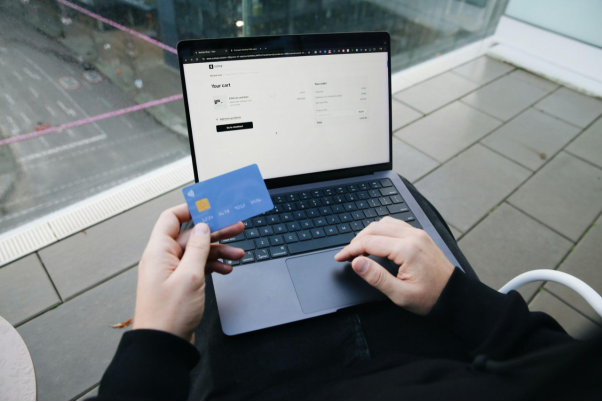
WooCommerce security should start with strong logins, clean updates, safe payments, backups, and constant monitoring. A store that leaves these basics loose is asking for trouble, even if sales are still small. Human mistakes remain a major risk, with Verizon reporting that 68% of breaches involved a non-malicious human element [source: Verizon].
TLDR: A WooCommerce store owner should lock down admin access, update plugins fast, use secure hosting, and keep tested backups. For example, if a store receives 10,000 visits per month and only 1% are bot login attempts, that still means around 100 bad login attempts to handle. A basic security stack can block many of these before they waste server resources. The best setup is simple, boring, and checked every week.
Start with Secure Hosting
A WooCommerce store is only as safe as the server under it. Cheap shared hosting can work for a tiny site, but it often creates headaches when traffic grows. Slow malware scans, weak isolation, and poor support can turn a small issue into a long outage.
The owner should choose hosting that includes server firewalls, malware scanning, automatic backups, and SSL certificates. Staging sites also matter. They let the team test updates before touching the live store.
Use Strong Admin Access Rules
Weak passwords still cause too many store breaches. It drives people crazy because this problem is so easy to avoid. A store owner should require long passwords, unique accounts, and two-factor authentication for every admin user.
Role control also matters. A writer does not need full store access. A support worker does not need plugin settings. The fewer admin users, the lower the risk.
- Use 2FA for admins, managers, and developers.
- Limit login attempts to stop brute-force attacks.
- Remove old users after staff or contractors leave.
- Use a private password vault instead of browser-saved passwords. A guide to zero knowledge password managers can help compare safer options.
Keep WooCommerce, WordPress, and Plugins Updated
Outdated plugins are one of the most common weak points. WooCommerce stores often run payment plugins, shipping tools, form builders, popups, analytics scripts, and page builders. That is a lot of code. One abandoned plugin can open the whole store.
The owner should review updates at least once a week. Security patches should be installed fast. Major updates should be tested on staging first. Honestly, it feels like busywork until one update prevents a cleanup bill that costs more than a month of sales.
Protect Payment and Checkout Data
A store should never store card data unless it has the right systems and compliance controls. Most owners should use trusted payment gateways such as Stripe, PayPal, Square, or similar services. These providers handle the sensitive card process outside the store.
The checkout page must use HTTPS. Mixed content warnings should be fixed. The site should also avoid extra scripts on checkout when possible. Tracking tools, chat widgets, and upsell plugins can slow the page and add risk.
Install a Web Application Firewall
A web application firewall, often called a WAF, filters bad traffic before it reaches the store. It can block known attacks, fake bots, SQL injection attempts, and suspicious requests. This helps protect both the admin area and public shop pages.
Security plugins can help, but the owner should not install five tools that all do the same job. That creates conflicts. One strong firewall and one malware scanner are usually better than a messy pile of plugins.
Back Up the Store Every Day
Backups are not optional. A store owner should keep daily backups for files and the database. WooCommerce stores change often because every order, refund, account, coupon, and product edit touches the database.
Backups should be stored off-site. They should also be tested. A backup that cannot be restored is just a false sense of safety.
- Daily database backups for orders and customer records.
- Weekly full-site backups for files, themes, and uploads.
- Off-site storage in a separate cloud account.
- Restore tests at least once per quarter.
Monitor Activity and Security Logs
Logs show what happened before trouble starts. The owner should track admin logins, plugin changes, failed login attempts, new users, file edits, and order changes. A strange admin login at 2:13 a.m. should not go unnoticed.
Stores with warehouses or retail pickup points may also need physical security. For owners comparing camera systems, this guide to video surveillance and security camera platforms offers useful options.
Prepare for Compliance and Audits
As stores grow, security becomes part of vendor checks, insurance forms, and payment reviews. The owner may need written policies for access, backups, incident response, and data handling. This sounds dull, but it saves time when partners ask for proof.
Companies that need stronger audit planning can review security compliance and audit readiness tools. Even small stores can copy the same idea: document the basics before there is a problem.
FAQ
How often should a WooCommerce store be updated?
Security updates should be applied as soon as possible. Normal plugin and theme updates should be checked weekly and tested first when they are large.
Does WooCommerce need a security plugin?
Most stores benefit from one trusted security plugin. It should include firewall rules, login protection, malware scans, and alerts.
What is the safest way to handle payments?
The safest common choice is to use a trusted payment gateway that processes card data off-site. This reduces the store’s exposure to payment data risk.
Are backups enough after a hack?
No. Backups help restore the store, but the owner must also find and fix the entry point. Otherwise, the same attack can happen again.
What is the first step for a new store owner?
The first step is to secure admin access with strong passwords and two-factor authentication. After that, the owner should set up updates, backups, and a firewall.
