

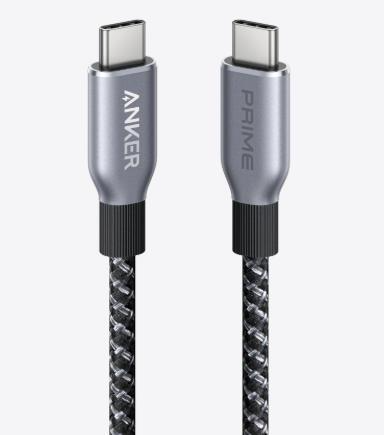
Choosing a cable may sound simple, but when it comes to USB-C, the options can feel overwhelming. For everyday people, the confusion often starts with the fact that all USB-C cables look nearly identical on the outside, but their performance can vary dramatically. One cable might charge your phone quickly, while another takes forever. One might connect your laptop to a monitor smoothly, while another cannot carry video at all. This hidden complexity often frustrates people who simply want a reliable cable that works for their daily needs. The good news is that by focusing on a few key factors—your intended use, the cable’s specifications, and its build quality—you can avoid most mistakes.
Determine Your Primary Use Case
When selecting a usb c cable, the first step is to ask yourself: what will I use it for most of the time? Not all cables are designed equally, and their strengths depend on the purpose.
Charging-First Applications
For people who mainly want a USB-C cable for charging, the focus should be on power delivery. A well-matched cable ensures that your phone, tablet, or laptop receives the right amount of energy efficiently. For example, if you often charge your phone before heading out in the morning, a cable with proper charging support saves valuable time. It’s also important to think about your devices—charging a laptop requires more power than charging earbuds. Some cables that look sturdy might still charge slowly because they are not built for high power transfer. That’s why it’s better to pay attention to whether a cable is described as supporting “fast charging” or “power delivery.”
Data-Transfer-First Applications
If your main priority is moving files, photos, or videos between devices, then data transfer speed becomes the deciding factor. While most USB-C cables can handle charging, not all are equally good at transferring data. For instance, sending a batch of high-resolution videos from your phone to your computer can take minutes with the right cable but feel endless with the wrong one. People who back up photos, move documents for work, or sync devices will benefit from choosing a cable rated for faster data speeds.
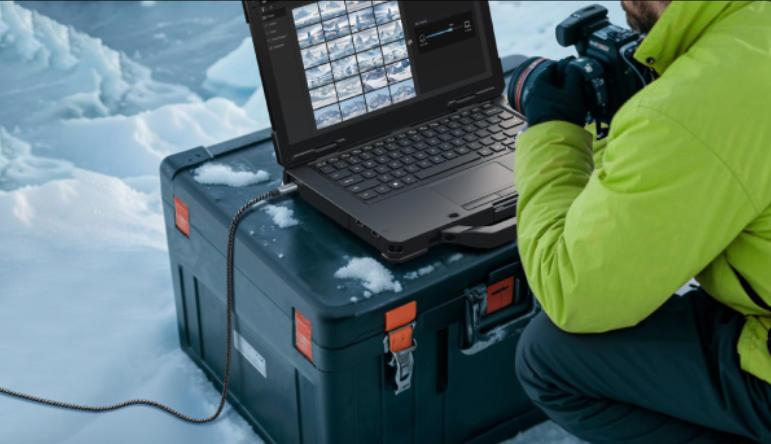
Video-Output Applications
For those who want to connect a laptop to a monitor, a tablet to a TV, or another device for video output, the choice of USB-C cable becomes even more specific. Video requires much more than just the ability to charge or transfer files—it demands cables that can carry higher bandwidth without interruptions. Imagine setting up for an important presentation, only to find that your cable doesn’t support video and the screen stays blank. A properly supported USB-C cable ensures crisp visuals and smooth playback when streaming or working. People who enjoy using their tablets to watch movies on a bigger screen or who work with external monitors will especially benefit from investing in a cable suited for video.
Decoding Key Specifications
After deciding your main purpose, the next step is understanding a few specifications. These are not as complicated as they sound but are critical to avoiding mismatched cables.
Understanding Power Delivery and Charging Capabilities
Power delivery is the backbone of how fast and safely your devices charge. Many people have experienced plugging into a cable only to find that their phone takes hours to reach full battery. This usually happens when the cable cannot carry the level of power the device requires. With USB-C, power delivery allows your devices to “negotiate” with the charger and get the optimal charge. For everyday users, this simply means your phone, tablet, or laptop charges faster and more reliably. It also reduces heat buildup, which can harm batteries over time. A cable with proper power delivery support ensures that even when you switch between devices, charging remains efficient.
Assessing Data Transfer Speeds and Video Support
Data transfer speeds determine how efficiently you can move files, while video support decides if your cable can handle more advanced connections like streaming to a monitor. Many people only realize their cable lacks these features when it fails during use. For example, a slow cable can turn photo backup into a long chore, while one without video support simply won’t connect your laptop to a display. Cables with higher speed ratings can move large files quickly, which is especially helpful for work or creative projects. Video support often comes bundled with higher-speed cables, but it is not guaranteed.
Evaluating Build Quality and Durability Factors
Beyond specifications, build quality plays a huge role in daily convenience. Many people have experienced frayed cables or loose connections that stop working at the worst possible time. A well-built USB-C cable should feel sturdy, flexible, and resistant to bending. Reinforced connectors, thicker insulation, and tangle-resistant materials often signal better durability. Considering how often we pack and carry cables in bags, prioritizing build quality ensures your cable lasts longer and works reliably.
Trusted Brands and Avoiding Common Pitfalls
The market is filled with USB-C cables that promise more than they deliver. While it’s tempting to buy the cheapest option, unreliable cables can cause frustration and even damage devices over time. Choosing cables from trusted brands such as Anker reduces these risks and ensures that what’s written on the packaging matches real performance. Common pitfalls include cables that charge slowly, fail to transfer data, or stop working after a few weeks. Awareness helps avoid these mistakes.
Conclusion
Selecting the right USB-C cable doesn’t have to be confusing once you know what to look for. By matching your cable to your primary use, checking essential specifications, and prioritizing durability, you can find a reliable option that supports your everyday needs. Notably, if you are considering buying a USB-C cable, Anker’s products are a great choice, offering different models to suit charging, data transfer, and video requirements with dependable quality.
