

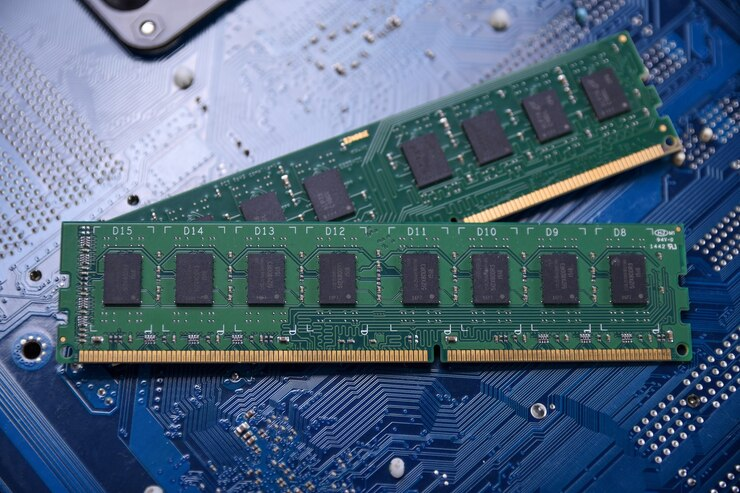
IT hardware does not always need to be replaced as soon as a newer standard arrives. Many businesses still operate servers, workstations, desktops, and other systems built around proven memory technology. DDR4 Memory Modules remain useful because they offer a practical balance of capacity, speed, compatibility, and cost for many existing systems. For organizations managing hardware budgets, replacing an entire platform just to move to a newer memory generation may not make financial sense. Companies such as Ram Exchange support different memory needs by providing access to new, used, and refurbished memory for a range of applications.
DDR4 Still Has a Place in Existing Hardware
DDR4 has been widely used across business computers, workstations, servers, and data center equipment. Many systems currently in service were designed around this memory standard, so replacing the memory does not require replacing the entire computer. This matters for IT teams managing equipment with different replacement schedules. A server may still have several years of useful service even though newer processors and memory standards are available. Keeping compatible DDR4 memory in that system can be a sensible way to maintain performance without forcing a full hardware refresh.
Compatibility is also a major reason for its continued use. Memory generations are not interchangeable simply because they look similar. A motherboard designed for DDR4 generally requires DDR4-compatible modules. Moving to another generation can require a compatible motherboard and processor as well.
Cost Can Influence Memory Decisions
IT budgets often cover more than memory alone. A move from DDR4 to a newer platform can involve processors, motherboards, system testing, installation, software checks, and possible downtime. For a system that already meets its workload requirements, adding or replacing compatible memory can be a smaller project. This can be useful for businesses that need more capacity but are not ready for a complete infrastructure refresh. The secondary market also gives organizations more options. Computer memory products can be available in new, used, and refurbished configurations, depending on the required specification. This gives IT departments another way to manage hardware costs while keeping existing equipment operational.
Capacity Matters as Much as Speed
Memory discussions often focus on speed, but capacity can have a direct effect on how a computer handles applications. A system with insufficient RAM may rely more heavily on slower storage for temporary data, which can affect responsiveness. Adding suitable DDR4 memory can help systems handle larger workloads, more applications, and additional virtual machines when the hardware supports the upgrade.
For example, an office workstation used for business applications may not need the same memory configuration as a server running multiple virtual machines. The right module depends on the motherboard, processor, workload, memory type, capacity requirements, and supported configuration. This makes accurate hardware identification essential before ordering replacement or additional memory.
Compatibility Should Come Before Purchase
Memory upgrades are not simply a matter of choosing the largest capacity available. IT teams should check the system or motherboard specifications before purchasing.
Important details can include:
- DDR generation
- Memory capacity
- Speed rating
- DIMM or other physical format
- ECC or non-ECC support
- Registered or unbuffered configuration
- Number of available memory slots
- Supported capacity per slot
- Required memory configuration
Server environments may have additional requirements. Registered DIMMs, ECC memory, and other enterprise configurations are not suitable for every computer. Installing a module with the wrong specifications can lead to boot problems, reduced performance, or compatibility issues. A clear record of the existing hardware can make the purchasing process much easier.
DDR4 Works Well for Many Business Workloads
Not every workload needs the highest available memory bandwidth. File servers, office systems, business applications, development machines, and some virtualization environments can continue to operate effectively with properly configured DDR4 memory. The right choice depends on what the system actually does. A workstation running standard productivity software has different requirements from a server handling large databases or intensive analytics. This is also why organizations should consider total system requirements instead of looking at memory speed alone. A balanced system with enough capacity and compatible components can provide useful performance without requiring every component to be replaced at the same time.
Refurbished Memory Can Support Older Systems
Older equipment can sometimes be difficult to upgrade through traditional retail channels. A specific server or workstation may require a particular memory type that is no longer a common consumer product. Specialized suppliers can help businesses source different computer memory products for older and current systems. Refurbished modules can also provide another option when compatible parts are needed for equipment that remains useful. Ram Exchange works with new, used, and refurbished RAM across different generations, including DDR4. Its product range includes memory for desktops, laptops, servers, and other applications. This type of inventory can be useful for businesses maintaining mixed hardware environments.
Mixed Hardware Environments Are Common
Large organizations rarely replace every computer and server at the same time. Hardware refreshes normally happen in stages. As a result, one company may have newer systems running alongside older equipment. This creates a need for different memory generations within the same IT environment. DDR4 can continue serving older systems while newer platforms use newer memory standards. Keeping accurate hardware records becomes especially useful in these situations. IT teams can identify which machines require DDR4 and which systems are ready for a newer platform. This reduces the risk of ordering incompatible parts and makes future upgrades easier to plan.
Maintenance Can Extend Hardware Use
Memory is only one part of an IT system, but maintaining it properly can help extend the useful life of equipment. Organizations can monitor system performance, replace failed modules, add capacity where needed, and retire hardware when maintenance no longer makes financial sense.For businesses with large hardware inventories, unused memory can also retain value. Instead of leaving old modules in storage, organizations may evaluate them for resale, reuse, or responsible recycling. Ram Exchange also works with surplus and obsolete memory, giving businesses another option for managing components that are no longer required for active systems.
Choosing the Right Upgrade for the System
A newer memory generation can provide technical improvements, but newer does not automatically mean every existing computer needs an immediate upgrade. The decision should be based on compatibility, workload requirements, available budget, system age, and the expected service life of the equipment. For a machine that performs its current tasks well, a compatible DDR4 upgrade may provide enough additional capacity to keep it productive. For systems approaching the end of their service life, a broader hardware replacement may make more sense. The useful approach is to assess each system separately rather than applying the same upgrade plan across an entire hardware inventory.
DDR4 Remains Relevant for Practical IT Management
The continued use of DDR4 reflects a simple reality in IT: hardware does not become useless just because a newer generation exists. Businesses often need to maintain reliable equipment while controlling upgrade costs and avoiding unnecessary replacements. DDR4 Memory Modules can still support many existing systems when the specifications match the hardware and the memory capacity meets the workload. For IT teams managing older servers, workstations, and business computers, keeping compatible memory available can make routine upgrades and repairs easier. Contact us today to discuss your memory requirements, check compatible options, and find suitable RAM for your existing systems or upcoming IT upgrades.
