

Managing business expenses isn’t just about tracking receipts and reimbursing employees. It’s about maintaining financial health, enabling smart spending, and ensuring compliance without slowing down your team. As businesses scale, traditional methods of expense tracking—spreadsheets, manual approvals, and delayed reimbursements—become increasingly inefficient and error-prone. That’s where expense management software comes in.
This blog explores choosing the right expense management solution by examining the features that matter, the business benefits you can expect, and how to evaluate return on investment (ROI). Whether you’re a fast-growing startup or a well-established enterprise, the right tool can dramatically streamline your finance operations.
What is Expense Management Software?
Expense management software is a digital solution that automates the process of recording, approving, reimbursing, and analyzing business expenses. It replaces manual processes with streamlined workflows, ensuring faster approvals, fewer errors, and real-time visibility into spending.
Who Uses It:
- Employees: Submit expense reports, receipts, and reimbursement claims.
- Managers: Approve or reject expenses, ensure policy compliance.
- Finance Teams: Track and audit expenses, enforce budgets.
- HR and Admin: Manage travel policies and team budgets.
Types of Expenses It Handles:
- Travel and accommodation
- Meals and entertainment
- Vendor and supplier payments
- Office and operational expenses
- Corporate card transactions
A platform like Kodo, for example, supports all these functions with a user-friendly interface and integrations that make expense handling seamless.
Signs You Need Expense Management Software
If your team is growing or you manage multiple departments, relying on emails and spreadsheets can quickly become a bottleneck. Here are some signs that it’s time to upgrade:
- Frequent errors or delays in reimbursements
- Lack of centralized visibility into who is spending what
- Difficulty enforcing internal policies and limits
- Lost receipts and undocumented claims
- Inefficient manual approvals are causing bottlenecks
An intelligent solution like Kodo flags non-compliant expenses automatically, helping you avoid financial leaks and streamline the approval chain.
Key Features of Expense Management Software
When evaluating an expense management tool, consider the following essential features:
a. Automated Expense Capture
- Mobile receipt scanning using OCR (Optical Character Recognition)
- Email forwarding of receipts
- Automatic categorization of expenses
b. Policy Enforcement and Compliance
- Custom rules for categories, limits, and approvals
- Alerts for policy violations
- Geo-tagging and time-stamping for travel claims
c. Multi-Level Approval Workflows
- Configurable hierarchies based on role, team, or amount
- Sequential and parallel approval options
- Auto-approval for low-value claims
d. Real-Time Spend Tracking
- Dashboards for team-wise and project-wise spending
- Notifications on budget overruns
- Comparison against historical data
e. Mobile Accessibility
- Native mobile apps for iOS and Android
- Submit, approve, or reject claims on the go
- Push notifications for reminders and approvals
f. Seamless Integrations
- Accounting software like Tally, QuickBooks, SAP, Oracle
- Payroll systems for automated reimbursements
- Corporate cards and banking platforms
A platform like Kodo offers robust integrations and customizable workflows, making it a versatile choice across industries.
Business Benefits of Expense Management Software
Implementing expense management software leads to immediate and long-term benefits across departments.
a. Time and Cost Savings
- Automates repetitive tasks
- Reduces paperwork and manual data entry
- Cuts down the approval time significantly
b. Accuracy and Fraud Prevention
- Flags duplicate or suspicious claims
- Prevents out-of-policy spending
- Maintains a detailed audit trail for every transaction
c. Improved Employee Experience
- Faster reimbursements
- Intuitive mobile interface
- Transparent status updates
d. Better Financial Control
- Real-time insights into departmental spending
- Easy budget tracking and forecasting
- More control over cash flow
e. Informed Decision-Making
- Data-driven reports on spending trends
- Identifies cost-saving opportunities
- Supports better vendor negotiations
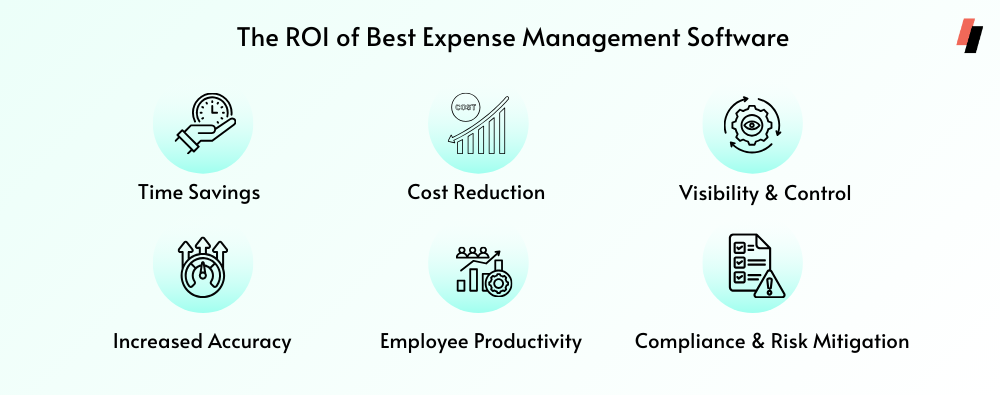
How to Evaluate ROI
Choosing the right software is not just about features—it’s about the value it brings.
Direct Cost Savings:
- Reduced man-hours spent on processing claims
- Lower administrative costs
- Decrease in late payment penalties and errors
Indirect Benefits:
- Enhanced compliance and reduced audit risks
- Higher employee satisfaction and retention
- Improved vendor relationships due to timely payments
Track ROI With:
- Time saved per expense report
- Reduction in policy violations
- Improvement in budget adherence
When evaluating ROI, consider the total cost of ownership (subscription, training, integrations) against these tangible and intangible benefits. Kodo, for instance, offers transparent pricing with rapid deployment, ensuring faster ROI realization.
Choosing the Right Solution for Your Business
Every business has unique needs. Here’s how to assess which platform is the best fit:
Business Size and Complexity
- Startups need simplicity and scalability.
- Mid-sized firms benefit from automation and analytics.
- Enterprises require deep integrations and compliance features.
Scalability and Flexibility
- Can it adapt to future needs?
- Are workflows customizable as you grow?
Vendor Reputation and Support
- Do they offer training and onboarding support?
- What do other users say in reviews or testimonials?
Industry Alignment
- Some platforms are better suited to tech, finance, manufacturing, or services.
- Choose a solution like Kodo that offers flexibility across sectors.
Trial Access and Demos
- Most vendors offer free trials or demo sessions.
- Use this to assess user experience, feature depth, and ease of integration.
Final Checklist Before Making a Decision
Ask yourself the following before finalizing your software:
- Is it easy for all stakeholders to use?
- Does it integrate with your existing tools?
- Are the workflows customizable?
- Is the vendor compliant with data security standards?
- Can you measure its impact clearly within the first 3-6 months?
The right solution should not just solve today’s problems but also prepare you for tomorrow’s growth. Kodo, for example, offers a modular structure that allows you to start small and scale as needed.
Conclusion
Choosing the right expense management software isn’t just an operational decision—it’s a strategic move. The right platform ensures financial discipline, improves employee experience, and empowers your team to make smarter decisions with real-time insights.
By focusing on the features that matter, assessing the tangible benefits, and evaluating ROI, you can ensure a solution that delivers long-term value. Whether you’re a small team managing reimbursements or a large enterprise coordinating multi-level budgets, software like Kodo can support your journey with efficiency and agility.
Ready to modernize your expense management process? Schedule a demo and experience how the right software can drive smarter business outcomes.
