

AI video is becoming easier to use, but easier does not always mean simpler. For creators, marketers, studios, and business teams, the new generation of video tools can speed up production and reduce the time needed to test ideas. At the same time, the legal and operational questions around AI-generated media are becoming harder to ignore.
Who owns the assets used as references? Can a voice clip be used to shape a generated scene? Has a likeness been used with permission? Is the output accurate enough for training, advertising, or public communication? Those questions are no longer theoretical now that AI video is moving from experimental demos into real workflows.
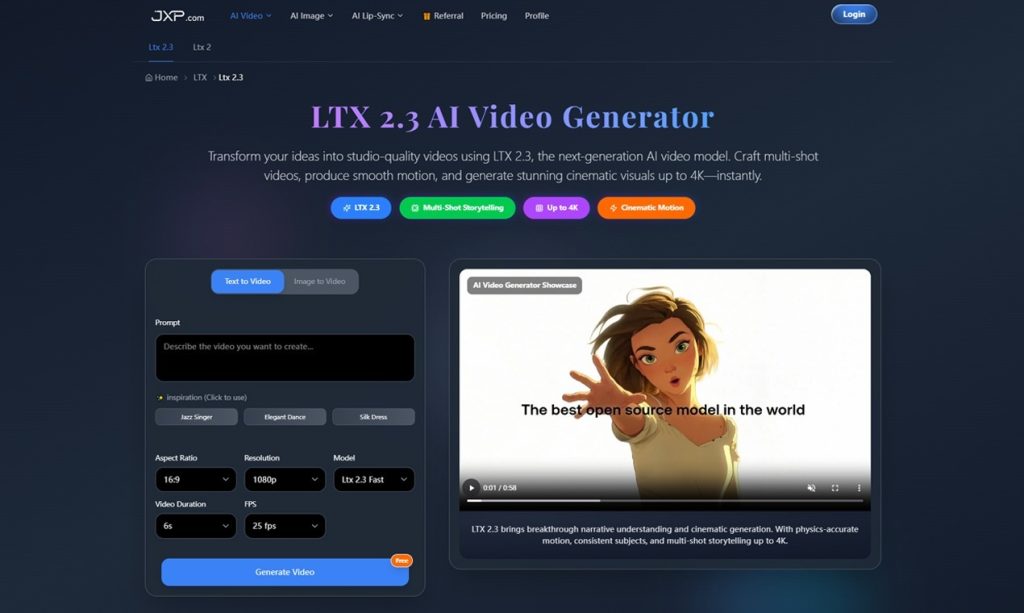
This is where tools such as LTX 2.3 become part of a broader technology conversation. The platform focuses on text-to-video, image-to-video, audio-to-video, portrait video, higher-resolution output, and production-focused controls. Those features can help teams move faster, but they also make review and governance more important.
AI Video Is Becoming a Production Tool
Video generation is no longer only a creative experiment. Teams now use AI video to test product explainers, social clips, educational content, campaign visuals, pitch materials, and internal training drafts.
The value is clear. A team can turn text, images, audio, or reference material into a first draft without waiting for a full production cycle. This can help marketers test ideas, educators simplify concepts, and businesses create visual materials faster.
But once AI video enters a production workflow, the standards change. A draft used only for internal brainstorming carries less risk than a public-facing advertisement, a training video, or a branded campaign. Teams need to know how the output will be used before they decide how much review is required.
The Legal Questions Start With Inputs
Many AI video workflows begin with references. A user may upload images, audio, brand assets, product visuals, or clips to guide the output. This is useful creatively, but it also raises permission questions.
If the input includes a person’s image, voice, trademarked material, copyrighted footage, or a third-party design, the team needs to know whether it has the right to use it. The same question applies to training materials, client assets, and campaign references.
An AI video generator can make the process faster, but it does not remove responsibility from the user. Businesses still need asset policies, approval steps, and clear rules about what can be uploaded.
This is especially important for companies working with clients, creators, or public-facing brands. One careless reference can create a copyright, privacy, or reputational problem later.
Audio-to-Video Adds Another Layer
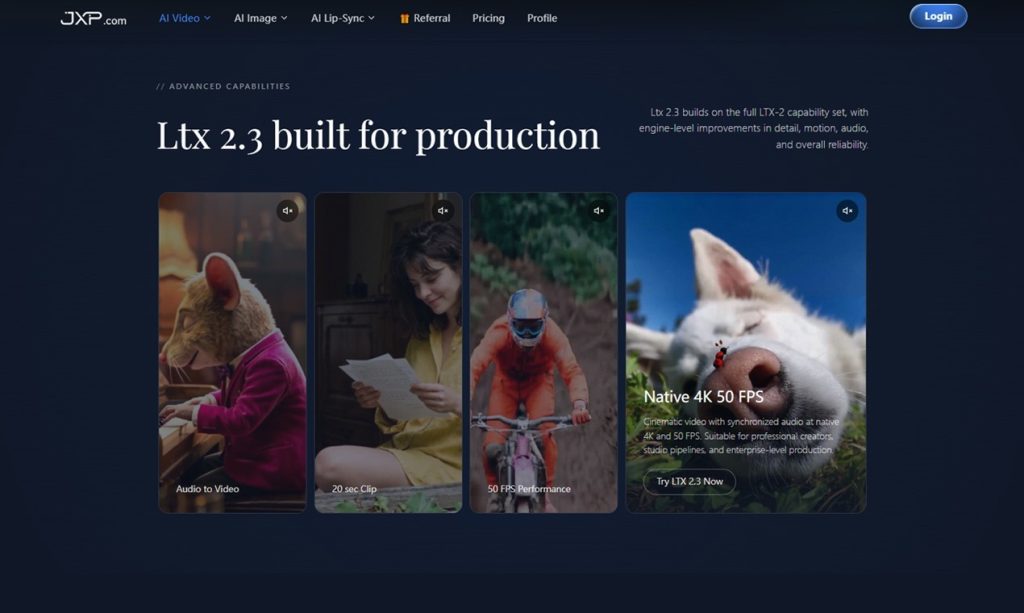
LTX 2.3 supports audio-led video generation, where voice, music, and sound effects can help shape pacing, structure, and motion. This can be useful for podcasts, narration, avatars, explainers, and educational content.
It also requires careful handling. Voices are personal. Music may be licensed. Sound effects may come from commercial libraries. A company should not treat audio as a neutral input if it contains a recognizable speaker, protected recording, or third-party creative work.
With audio to video AI, teams should ask simple questions before generation begins: do we own this recording, do we have consent to use the voice, and does the output imply something the speaker never intended?
Why Local and Builder-Friendly Workflows Matter
One notable part of LTX 2.3 is its support for ComfyUI and local workflows. For technical creators and production teams, this can be more than a convenience.
Local or builder-friendly workflows may offer more control over privacy, deployment, hardware, and custom pipelines. A team handling sensitive material may prefer a workflow where assets are managed with stricter internal processes. Developers may want to test prompts, references, and outputs in a repeatable environment.
That does not automatically solve compliance issues. Local generation still needs governance. Teams should track inputs, prompts, outputs, revisions, and approvals when the video is connected to client work, public campaigns, or regulated industries.
Vertical Video and Brand Risk
LTX 2.3 also supports native portrait video, which is useful for TikTok, Instagram Reels, YouTube Shorts, and other mobile-first platforms. More business communication now happens in vertical formats, and that changes how quickly generated media can move from a draft to a public impression.
Short-form content can travel quickly. That speed creates opportunity, but it also increases risk. A misleading AI-generated clip can spread before a legal or brand team has time to respond. A poorly reviewed video can create confusion about a product, service, or public statement.
For brands, review standards should not disappear just because the video is short. The same questions still apply: is it accurate, is it approved, does it use lawful inputs, and could it mislead the audience?
A Practical Review Workflow
Teams using AI video can reduce risk with a simple process:
- Define the purpose of the video.
- Use only approved images, clips, audio, or brand assets.
- Keep a record of prompts and references.
- Generate a short draft.
- Review the output for accuracy, rights, likeness, and brand fit.
- Add disclosure where appropriate.
- Approve the final version before publishing.
This workflow keeps human judgment in the process. AI can help create a draft, but people must decide whether it is lawful, accurate, and appropriate.
The Future of AI Video Governance
AI video tools will keep improving. Higher resolution, cleaner audio, better prompt adherence, and stronger image-to-video motion will make generated video more useful for professional teams.
That progress also raises the bar for responsible use. As outputs become more realistic, audiences may find it harder to tell what was filmed, edited, or generated. Companies will need clearer internal policies for disclosure, asset use, client approvals, and record-keeping.
LTX 2.3 shows how AI video is becoming more production-ready. The next challenge is making sure the workflow around it is just as mature.
For teams using AI video in marketing, education, media, or enterprise communication, the goal should not be speed alone. The real advantage comes from combining faster drafting with careful review, lawful inputs, and clear creative accountability.